Destination Card
A photo card for a trip. The flight sits over the photo, and the buttons at the bottom switch places: the photo blurs into the next one and the route draws itself again.
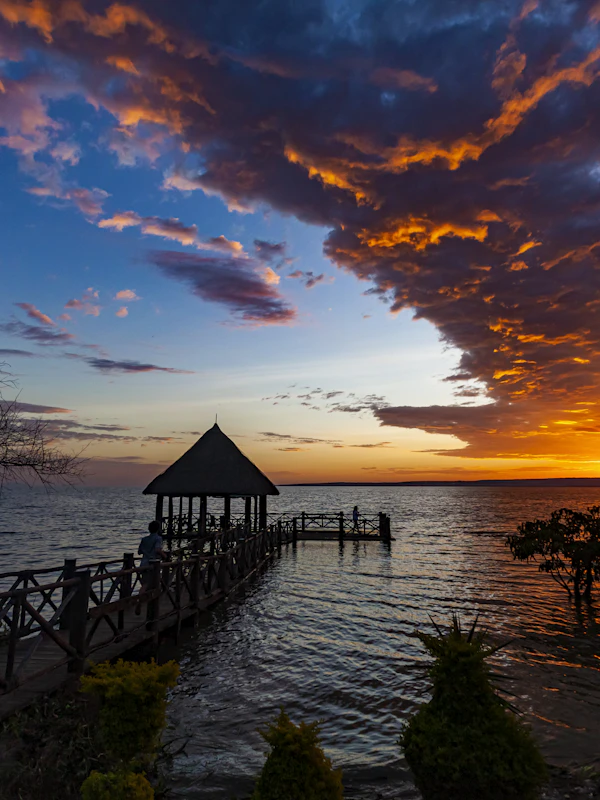
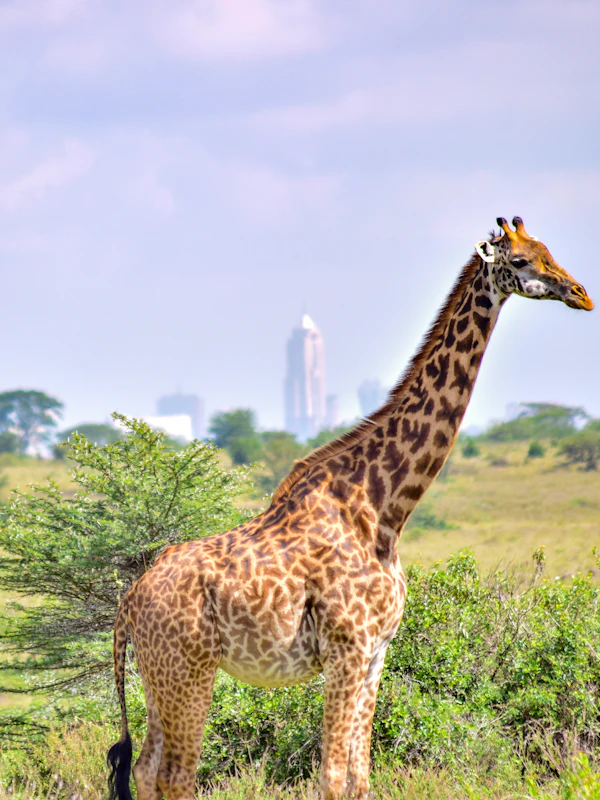
Nairobi
MBA7:40 AMMombasa
NBO8:45 AMNairobi
Installation
$npx shadcn@latest add @stillui/card-destinationOr copy the source into your project. It needs the shadcn color tokens and the cn helper.
components/card-destination.tsx
"use client";
// stillui.dev/components/card-destination

import { AnimatePresence, motion, useReducedMotion } from "motion/react";
import { useId, useRef, useState, type KeyboardEvent } from "react";
import { cn } from "@/lib/utils";

const EASE = [0.16, 1, 0.3, 1] as const;
// The pill stays inside the card, so it glides without overshoot.
const GLIDE = { type: "spring", stiffness: 420, damping: 40, mass: 0.8 } as const;

type Stop = { code: string; time: string; city: string };

export type Destination = {
  value: string;
  /** The name at the top of the card and on its button. */
  city: string;
  image: string;
  alt: string;
  from: Stop;
  to: Stop;
};

type CardDestinationProps = {
  destinations: Destination[];
  value?: string;
  defaultValue?: string;
  onValueChange?: (value: string) => void;
  className?: string;
};

/** A destination card: a full-bleed photo with the flight over it, and buttons to switch between places. */
export function CardDestination({
  destinations,
  value,
  defaultValue,
  onValueChange,
  className,
}: CardDestinationProps) {
  const reduce = !!useReducedMotion();
  const [internal, setInternal] = useState(defaultValue ?? destinations[0]?.value);
  const current = value ?? internal;
  const active = destinations.find((d) => d.value === current) ?? destinations[0];

  const select = (next: string) => {
    if (value === undefined) setInternal(next);
    onValueChange?.(next);
  };

  return (
    <div className={cn("relative w-full max-w-[300px]", className)}>
      {/* A blurred copy of the photo under the card, so its shadow takes the photo's colours. */}
      <div className="absolute inset-x-5 top-8 -bottom-3 opacity-60 blur-2xl" aria-hidden>
        <Photos destinations={destinations} current={active.value} reduce={reduce} />
      </div>

      <section
        aria-label={`Flight to ${active.city}`}
        className="relative isolate aspect-[3/4] overflow-hidden rounded-[22px] bg-muted text-white"
      >
        <Photos destinations={destinations} current={active.value} reduce={reduce} alt />
        <div className="absolute inset-x-0 top-0 h-1/4 bg-gradient-to-b from-black/30 to-transparent" aria-hidden />
        <SoftBlur />
        <div className="absolute inset-x-0 bottom-0 h-3/5 bg-gradient-to-t from-black/60 via-black/25 to-transparent" aria-hidden />

        <h3 className="absolute inset-x-0 top-4 text-center text-[15px] font-medium [text-shadow:0_1px_8px_rgb(0_0_0/0.3)]">
          <Swap text={active.city} reduce={reduce} />
        </h3>

        <div className="absolute inset-x-0 bottom-0 grid gap-4 p-3.5">
          <div className="grid grid-cols-[1fr_auto_1fr] items-start gap-2 px-1">
            <StopInfo stop={active.from} reduce={reduce} />
            <Route key={active.value} reduce={reduce} />
            <StopInfo stop={active.to} reduce={reduce} end />
          </div>
          <Picker destinations={destinations} current={active.value} onSelect={select} reduce={reduce} />
        </div>
      </section>
    </div>
  );
}

// Each layer blurs a little more and starts a little lower, so the photo goes soft gradually instead of at a line.
const BLUR_LAYERS = [
  { blur: 1, from: 0, to: 30 },
  { blur: 2, from: 10, to: 45 },
  { blur: 4, from: 25, to: 60 },
  { blur: 8, from: 40, to: 80 },
  { blur: 16, from: 60, to: 100 },
];

/** A soft blur over the bottom of the photo, behind the flight and the buttons. */
function SoftBlur() {
  return (
    <div className="pointer-events-none absolute inset-x-0 bottom-0 h-1/2" aria-hidden>
      {BLUR_LAYERS.map(({ blur, from, to }) => {
        const mask = `linear-gradient(to bottom, transparent ${from}%, black ${to}%)`;
        return (
          <div
            key={blur}
            className="absolute inset-0"
            style={{ backdropFilter: `blur(${blur}px)`, WebkitBackdropFilter: `blur(${blur}px)`, maskImage: mask, WebkitMaskImage: mask }}
          />
        );
      })}
    </div>
  );
}

/** Every photo stays mounted, so switching is instant; the old one blurs away as the new one sharpens. */
function Photos({
  destinations,
  current,
  reduce,
  alt = false,
}: {
  destinations: Destination[];
  current: string;
  reduce: boolean;
  alt?: boolean;
}) {
  return (
    <div className="absolute inset-0 overflow-hidden rounded-[inherit]">
      {destinations.map((d) => {
        const shown = d.value === current;
        return (
          <motion.img
            key={d.value}
            src={d.image}
            alt={alt && shown ? d.alt : ""}
            aria-hidden={!alt || !shown || undefined}
            draggable={false}
            decoding="async"
            initial={false}
            animate={
              reduce
                ? { opacity: shown ? 1 : 0 }
                : { opacity: shown ? 1 : 0, scale: shown ? 1 : 1.08, filter: shown ? "blur(0px)" : "blur(10px)" }
            }
            transition={{ duration: reduce ? 0.15 : 0.7, ease: EASE }}
            className="absolute inset-0 size-full object-cover"
          />
        );
      })}
    </div>
  );
}

/** Text that blurs out and in when it changes. */
function Swap({ text, reduce, delay = 0 }: { text: string; reduce: boolean; delay?: number }) {
  return (
    <AnimatePresence mode="popLayout" initial={false}>
      <motion.span
        key={text}
        className="inline-block"
        initial={reduce ? { opacity: 0 } : { opacity: 0, y: 6, filter: "blur(6px)" }}
        animate={{ opacity: 1, y: 0, filter: "blur(0px)" }}
        exit={reduce ? { opacity: 0 } : { opacity: 0, y: -6, filter: "blur(6px)" }}
        transition={{ duration: reduce ? 0.1 : 0.45, delay: reduce ? 0 : delay, ease: EASE }}
      >
        {text}
      </motion.span>
    </AnimatePresence>
  );
}

function StopInfo({ stop, reduce, end = false }: { stop: Stop; reduce: boolean; end?: boolean }) {
  return (
    <div className={cn("grid min-w-0", end && "justify-items-end text-right")}>
      <span className="text-2xl font-semibold tracking-tight">
        <Swap text={stop.code} reduce={reduce} />
      </span>
      <span className="text-[13px] font-medium tabular-nums">
        <Swap text={stop.time} reduce={reduce} delay={0.05} />
      </span>
      <span className="truncate text-[11px] text-white/70">
        <Swap text={stop.city} reduce={reduce} delay={0.1} />
      </span>
    </div>
  );
}

/** A plane over a wavy line. Keyed by destination, so the line draws itself again on every switch. */
function Route({ reduce }: { reduce: boolean }) {
  return (
    <div className="grid justify-items-center gap-1 pt-1.5" aria-hidden>
      <motion.svg
        viewBox="0 0 24 24"
        className="size-[18px]"
        fill="currentColor"
        initial={reduce ? false : { opacity: 0, x: -10, y: 3, rotate: -12 }}
        animate={{ opacity: 1, x: 0, y: 0, rotate: 0 }}
        transition={{ duration: 0.6, delay: 0.15, ease: EASE }}
      >
        <path d="M21.4 11.2 14 9.4 9.8 3.6a.9.9 0 0 0-.8-.4H7.7l2.2 6L5.6 8.1 4 5.6H2.8l.9 4.3c.1.4.4.7.8.8L20.6 14a1.4 1.4 0 0 0 .8-2.8Z" />
      </motion.svg>
      <svg viewBox="0 0 64 12" className="h-3 w-16" fill="none">
        <motion.path
          d="M2 6c5-6 10-6 15 0s10 6 15 0 10-6 15 0 10 6 15 0"
          stroke="currentColor"
          strokeWidth="1.5"
          strokeLinecap="round"
          initial={reduce ? false : { pathLength: 0, opacity: 0 }}
          animate={{ pathLength: 1, opacity: 1 }}
          transition={{ duration: 0.8, delay: 0.1, ease: EASE }}
        />
      </svg>
    </div>
  );
}

/** The switch between places. A radio group, so arrow keys move between them like native radios. */
function Picker({
  destinations,
  current,
  onSelect,
  reduce,
}: {
  destinations: Destination[];
  current: string;
  onSelect: (value: string) => void;
  reduce: boolean;
}) {
  const pill = useId();
  const refs = useRef<(HTMLButtonElement | null)[]>([]);

  const onKeyDown = (event: KeyboardEvent<HTMLDivElement>) => {
    const step = event.key === "ArrowRight" || event.key === "ArrowDown" ? 1 : event.key === "ArrowLeft" || event.key === "ArrowUp" ? -1 : 0;
    if (!step) return;
    event.preventDefault();
    const index = destinations.findIndex((d) => d.value === current);
    const next = (index + step + destinations.length) % destinations.length;
    onSelect(destinations[next].value);
    refs.current[next]?.focus();
  };

  return (
    <div
      role="radiogroup"
      aria-label="Destination"
      onKeyDown={onKeyDown}
      className="grid auto-cols-fr grid-flow-col rounded-xl bg-white/15 p-1 backdrop-blur-md"
    >
      {destinations.map((d, i) => {
        const selected = d.value === current;
        return (
          <button
            key={d.value}
            ref={(el) => {
              refs.current[i] = el;
            }}
            type="button"
            role="radio"
            aria-checked={selected}
            tabIndex={selected ? 0 : -1}
            onClick={() => onSelect(d.value)}
            className={cn(
              "relative h-8 rounded-lg px-2 text-[13px] font-medium outline-none transition-[color,scale] duration-150 focus-visible:ring-2 focus-visible:ring-white/80 active:scale-[0.96]",
              selected ? "text-neutral-900" : "text-white/80 hover:text-white",
            )}
          >
            {selected ? (
              <motion.span
                layoutId={pill}
                transition={reduce ? { duration: 0 } : GLIDE}
                className="absolute inset-0 rounded-lg bg-white shadow-sm"
                aria-hidden
              />
            ) : null}
            <span className="relative truncate">{d.city}</span>
          </button>
        );
      })}
    </div>
  );
}
States
- Switching
- The old photo blurs and grows away while the new one sharpens. The codes, times and cities blur through in a short stagger.
- Route
- The wavy line draws from left to right and the plane glides in over it on every switch.
- Shadow
- A blurred copy of the photo sits under the card, so the shadow takes on each place's colours.
- Keyboard
- The buttons are a radio group. Tab lands on the chosen place and the arrow keys move between them.
- Reduced motion
- Photos and text crossfade without blurring, and the line appears already drawn.
Notes
Give each destination its own photo. Portrait images around 3:4 fit best; the bottom is softly blurred and darkened so the text stays readable on busy or light photos.
Works with two to four places. Pass value and onValueChange to control it from outside.